Show a bar with a percent complete "thermometer"
Answer:Bar types 65, 67 and 72 offer this functionality. Double click any bar in the toolbox to customize and choose one of these bar types: (Be sure to
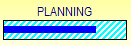
Example: Bar type 65:
Bar type 67
Bar type 72:
|



|
|
Control the percent complete fill on a summary bar What can affect Fill to Status Date? Why are some symbols not filled? About showing progress (Milestones Help) Fill symbols/bars to status date (Milestones Help) |