DisplayMessageBoxResponse
Purpose: Display a message which allows a string to be entered and returned to the application.
Return Value: up to 500 characters keyed in response box
|
Argument |
Type |
Required |
Purpose |
|
1 |
String |
Yes |
The string of text to display |
|
2 |
String |
Yes |
Title for the message box |
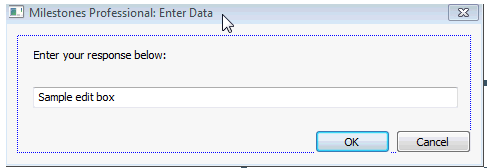
Do not use this method if the application will be running unattended or on a server. Someone must be there to press the OK or Cancel button.
Example:
sAnswer = .DisplayMessageBoxResponse(“What is your name?”,”Enter Name”)
Related Topics