SetTaskLineVertSymSpace
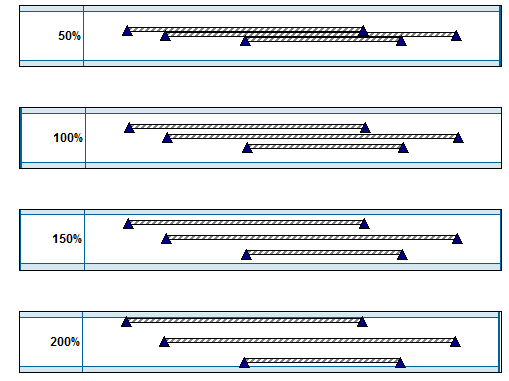
Purpose: Increase or decrease the density of symbols on a task row. Up to 3 positions are available for symbols on each task row (upper, middle, lower). The Vertical Spacing % will control how close the symbols are. Examples:
|
Argument |
Type |
Required |
Purpose |
|
1 |
Integer |
Yes |
Task line |
|
2 |
Integer |
Yes |
Percent for space: 0, 25, 50, 75, 100, 125, 150, 175, 200, 225, 250, 275, 300 (0 means to change line back to default - no override) |