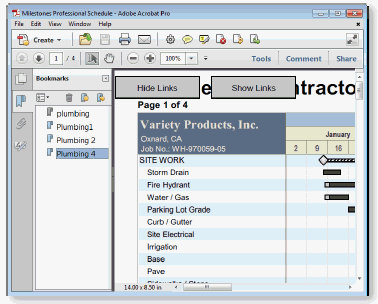
Choose File | Files and Templates: Open and Save Options | PDF to create a PDF file from the current Milestones schedule. The resulting PDF can be viewed by any PDF viewer.
The PDF file automatically includes a bookmark section made up of any bookmarks in the schedule.