Color code a symbol in a column

Question:     

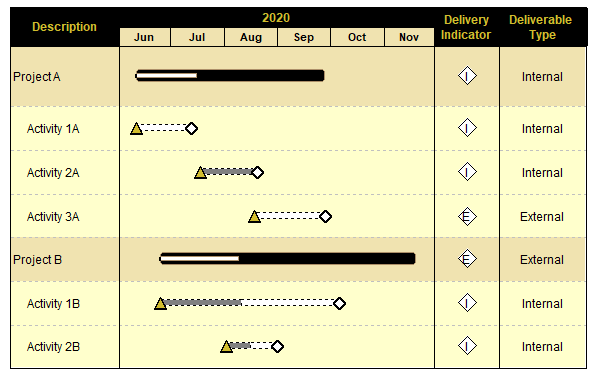
I have created a stoplight chart.  I want to color code an entry that is in a column.  I want the color to be red if it is an internal deliverable and blue if it is an external deliverable.  Is this possible?


Answer:

Yes.  Here is how to do this:

  1. Add a Deliverable Type text column.  Enter the deliverable type for each task into that column.
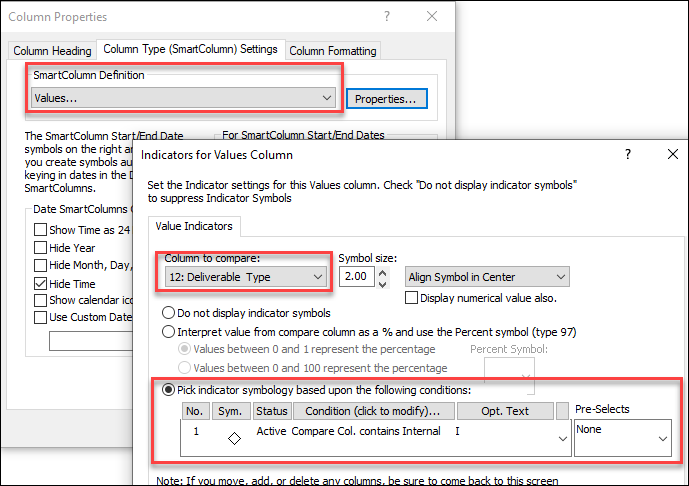
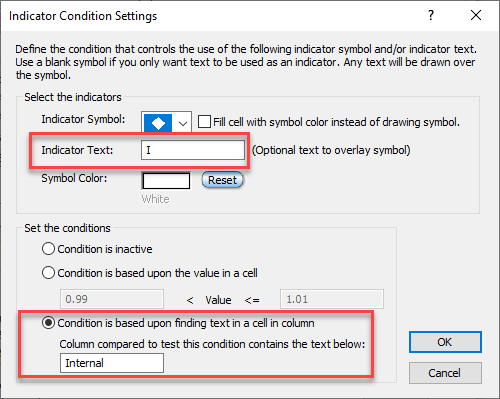
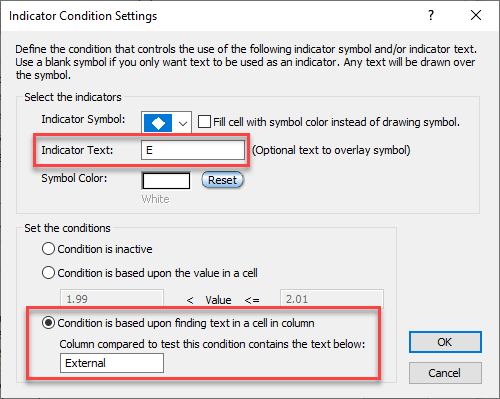
  2. Add a Values column to display the indicators.  For Column to Compare, pick the text column you added.  See the illustrations below for detailed steps.


Related topics


Applies to Milestones Professional:      2019        2021        2023        2025


The fast easy way to schedule your projects:  Milestones Software by KIDASA Software, Inc. www.kidasa.com

Copyright © 2025 KIDASA Software, Inc. All rights reserved.