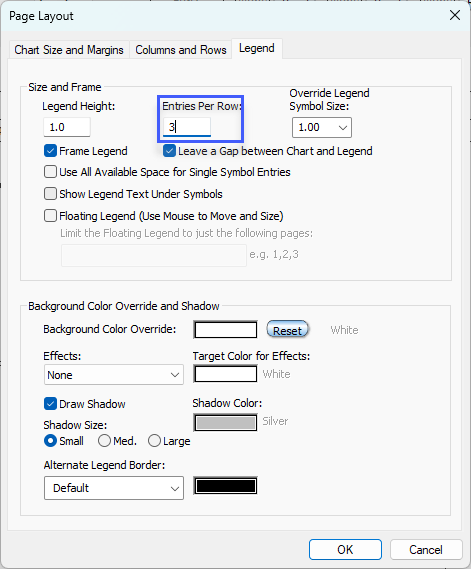
Multiple legend rows

Question:     

I would like to have a legend with multiple rows and 4 entries per row. How do I add a 2nd or 3rd row in the legend?


Answer:

Legends are formatted to contain a specified number of entries per row. Once that number is exceeded, a new row is automatically created. Thus, in your example of 4 entries per row, the 5th legend entry would appear on a second row.

To format the legend, choose Format | Legend.


Related topics

Limit the legend to first and last page

Make a hidden legend reappear

Insert a legend

Copy a legend from one schedule to another

Legend and DataGraph Placement

Make a title in the legend

Hide the legend

Override legend colors

Vertical connectors in the legend 


Applies to Milestones Professional:    2023         2025


The fast easy way to schedule your projects:  Milestones Software by KIDASA Software, Inc. www.kidasa.com

Copyright © 2026 KIDASA Software, Inc. All rights reserved.