Stamp a schedule with a date, page number, file name and more
Answer:Use a FreeForm text block with a substitutable text string.
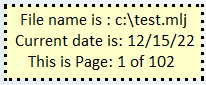
Will give you:
Note: add a couple of blanks after "&systime".
Use any of the following substitutable text strings:
&date current schedule date &sysdate computer date &curpage current page number &maxpage maximum page number &filename filename of schedule &systime computer system time
Some people turn off the date display in the upper corner and use a substitutable string instead elsewhere on the schedule. These strings are useful for page footers, also (used in conjunction with the "display on all pages" freeform text property). |

|
|
|
 2017
2017