GetColumnProperty


Purpose: Get information about a column.


Return Value: Variant, the column property. (see list below)


Argument  

Type

Required

Purpose

1

Integer

Yes

Column (1-20) See Column Numbering to see how columns are numbered.

2

String

Yes

Desired Property from list below

"ColumnTag"

Returns a string, the automation tag associated with the column.

"DoesColumnHaveData"

Returns a string, "Yes" if any data in first 100 cells of column, or "No" if no data.

"HeadingLine1"

Returns a string, the first line of column heading .

"HeadingLine2"

Returns second line of column heading.

"Hidden"

Returns an integer, 1 if hidden, 0 if not hidden.

"IndicatorSymbolSize"

Returns a double, the indicator symbol size for the column.

"IndentAmount"

Returns a double, column indent amount in inches.

"Width"

Returns a double, the column width in inches.

"SmartColumn "

Returns a string, the SmartColumn type from list below:

"None"

"StartDate"

"EndDate"

"Duration"

"PercentComplete"

"TaskNumber"

"OutlineLevel"

"WBSNumber"

"StatusDate"

"UsedDuration"

"RemainingDuration"

"TimeAheadBehind"

"BaselineStart"

"BaselineEnd"

"BaselineDuration"

"ValueSet -1 to ValueSet-9" (Make sure a ValueSet of type 2 or 4 is being used).

"Values"

"SymbolCount"

"Calculation"

"EV-AC"

"EV-EV"

"EV-PV"

"EV-BAC"

"EV-CPI"

"EV-CV"

"EV-EAC"

"EV-SPI"

"EV-SV"

"EV-EAC-CPIxSPI"

"EV-EAC-OTD"

"EV-TCPI"

"EV-VAC"

"EV-VAC-CPIxSPI"

"EV-VAC-OTD"

"DateViaSymbolTag"

Note: If using VB.NET, use the alternate method .GetColumnPropertyString to return a string instead of an integer for any arguments that return an integer.


Example:

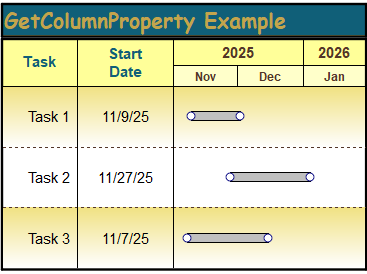
Get the type of SmartColumn for column 1. The example code below returns "StartDate" since column 1 is a Start Date SmartColumn. The MsgBox displays "Column Type = StartDate"

With objMilestones

  strColumnType = .GetColumnProperty(1, "SmartColumn")

  MsgBox "Column Type = " + strColumnType

End With


Related Topics

  1. Column Numbering
  2. GetColumnProperty Example
  3. SetColumnProperty


To effectively program with this interface, it's important to learn all about Milestones Professional.  Learn about Milestones.

Milestones Professional 2023 Automation Methods and Properties.  © Copyright 2000-2023, KIDASA Software, Inc. All rights reserved.