GetColumnProperty


Purpose: Retrieve information about a column.


Return Value: Variant, the column property. (see list below)


Argument  

Type

Required

Purpose

1

Integer

Yes

Column (1-20) See Column Numbering to see how columns are numbered.


2

String

Yes

Desired Property from list below

"ColumnTag"

Returns a string, the automation tag associated with the column.

"DoesColumnHaveData"

Returns a string, "Yes" if any data in first 100 cells of column, or "No" if no data.

"HeadingLine1"

Returns a string, the first line of column heading .

"HeadingLine2"

Returns second line of column heading.

"Hidden"

Returns an integer, 1 if hidden, 0 if not hidden.

"IndicatorSymbolSize"

Returns a double, the indicator symbol size for the column.

"IndentAmount"

Returns a double, column indent amount in inches.

"Width"

Returns a double, the column width in inches.

"SmartColumn "

Returns a string, the SmartColumn type from list below:

"None"

"StartDate"

"EndDate"

"Duration"

"PercentComplete"

"TaskNumber"

"OutlineLevel"

"WBSNumber"

"StatusDate"

"UsedDuration"

"RemainingDuration"

"TimeAheadBehind"

"BaselineStart"

"BaselineEnd"

"BaselineDuration"

"ValueSet -1 to ValueSet-9" (Make sure a ValueSet of type 2 or 4 is being used).

"Values"

"SymbolCount"

"Calculation"

"EV-AC"

"EV-EV"

"EV-PV"

"EV-BAC"

"EV-CPI"

"EV-CV"

"EV-EAC"

"EV-SPI"

"EV-SV"

"EV-EAC-CPIxSPI"

"EV-EAC-OTD"

"EV-TCPI"

"EV-VAC"

"EV-VAC-CPIxSPI"

"EV-VAC-OTD"

"DateViaSymbolTag"

Note: If using VB.NET, use the alternate method .GetColumnPropertyString to return a string instead of an integer for any arguments that return an integer.


Example:

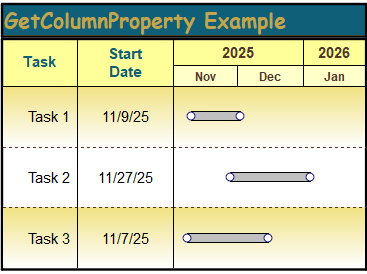
Get the type of SmartColumn for column 1. The example code below returns "StartDate" since column 1 is a Start Date SmartColumn. The MsgBox displays "Column Type = StartDate"

With objMilestones

  strColumnType = .GetColumnProperty(1, "SmartColumn")

  MsgBox "Column Type = " + strColumnType

End With


To effectively program with this interface, it's important to learn all about Milestones Professional.  Learn about Milestones.

Milestones Professional 2025 Automation Methods and Properties.  © Copyright 2000-2025, KIDASA Software, Inc. All rights reserved.