-
Double-click the user-defined symbol in the toolbox, or add the user-defined symbol to the toolbox (a .SYM or .BMP file).
-
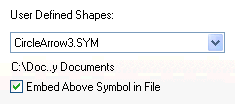
Check Embed Above Symbol in File, as shown below.
Notes:
-
Only .BMP and .SYM files can be used as custom symbols and embedded in the schedule.
-
User-defined symbols should be stored in the Symbols folder. To find this folder which contains the user-defined symbols, choose Tools | Program Options | Folders. Notice the path as shown next to Symbols(*). For example, the Symbols folder could be the "My Documents" folder.

