|
On a schedule which covers many years, it might be beneficial to expand certain years so that more detail can be seen for those years. This can be accomplished by using the logarithmic view.
Example:
Logarithmic view setup
-
Under View | Viewing options | Chart Type choose Gantt - Logarithmic: Setup.
-
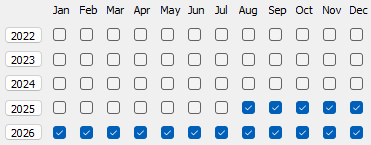
To expand a year, click the button for that year. In the example below, 6 months in 2025 and all months in 2026 years are expanded.
-
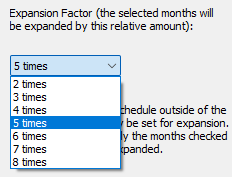
For Expansion Factor, choose 2 times, 3 times or 4 times to indicate the relative factor to use for expansion of the selected months/years.
-
For example, choose 5 times:
-
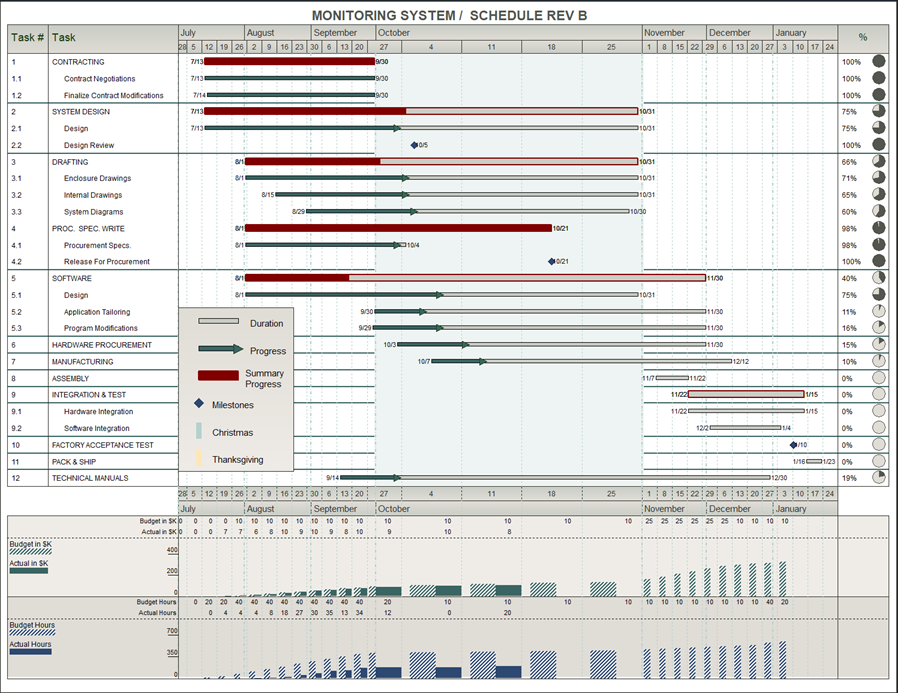
Click OK to complete the setup. Here's the result from the above selections:

 After completing the logarithmic view setup for a schedule, choose View | Viewing options | Chart Type choose Gantt - Logarithmic: View to switch to logarithmic view. After completing the logarithmic view setup for a schedule, choose View | Viewing options | Chart Type choose Gantt - Logarithmic: View to switch to logarithmic view.
|