Override summary row values
Summary row values in Values SmartColumns can be overridden with any user-entered value.
Override summary row values:
-
Select the Values SmartColumnSelect the Values SmartColumn.
-
Click
 .
. -
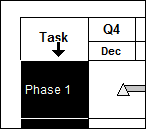
Move the cursor to the lower edge of the column heading area. The cursor will change and will look like this:

-
Click once to select the column. The column will highlight to indicate the column is selected.
-
-
In Selection | Column Type and Format, choose
 Properties.
 -
 On Summary Rows, show value in cell. Override Summary Bar settings.
Related Topics