GetCellText
Purpose: Obtain the text from a description cell.
Returns: Variant. (Text from the indicated cell)
|
Argument |
Type |
Required |
Purpose |
|
1 |
Integer |
Yes |
Task Row (1 based) |
|
2 |
Integer |
Yes |
Column (1-20) See Column Numbering to see how columns are numbered. |
The Task Row must exist or an error is generated. The column number is one based and uses a specific numbering scheme.
|
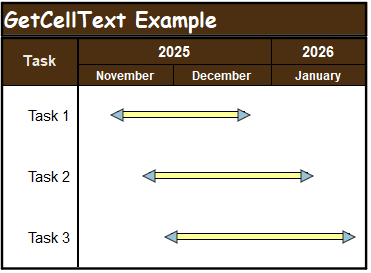
Example: Get the text from Column 1 in Row 2. The code below returns "Task 2". With objMilestones strCellText = .GetCellText(2, 1) End With |
Related Topics