ConvertUserHeadToEmbedded
Purpose: Force the custom date heading specified to be saved with the schedule.
|
Argument |
Type |
Required |
Purpose |
|
1 |
Variant |
Yes |
Indicates the heading level (1-4) |
Custom date headings can be stored in two ways
-
-
Embedded in the schedule file.
-
Saved in an external file.
-
This method is a way to convert a custom heading that is stored in an external file, into a new embedded heading. If schedules which have custom headings will be used on other computers, the headings need to be embedded in the schedule.
|
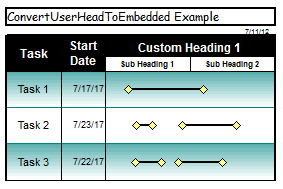
Example: Convert the two user defined date headings on this schedule to be embedded (instead of saved in an external file.) Public Sub ChangeMyHeadingToEmbedded() Set objMilestones = GetObject("c:\schedules\customheading.MLP", "Milestones") With objMilestones End With Exit Sub End Sub
|