Custom stoplight column
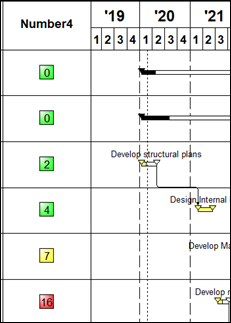
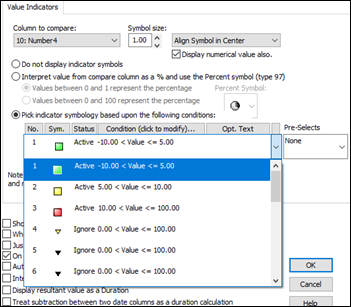
Answer:You should set up a Values SmartColumn with a column tag for the Number column to be refreshed. Then, customize the settings to display the colored indicator based on the number.
Insert | New Column | Values. Customize the indicators to match what is shown here.
|
|
|
Stoplight SmartColumn (Milestones Help) |
 2019
2019