Question:Why are the bars below red? Other tasks have the bar color set in the toolbox. I would like them all the same.
|

Answer:
They likely have a color override. To reset:
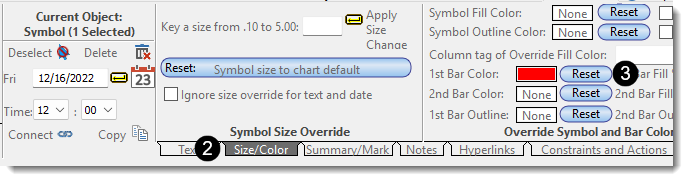
- Click the start symbol. The toolbar switches to Current Object: Symbol.
- On the toolbar, click the small Size/Color tab.
- In the Override Symbols and Bar Colors section, click Reset for the 1st Bar Color.