
(Click the question title for the answer)
Add a horizontal bar and symbol to an existing symbol
I have a symbol on my schedule and would like to add another symbol with a bar between them. How do I accomplish this?
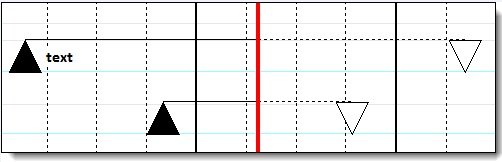
Want solid connector (not dashed) after status date
How do I make the horizontal connector between the triangles solid and not dashed after the status line?
Work with a schedule with no columns
My schedule has no columns. How can I select a task row?
I'm interested in Milestones Professional's color themes feature. Where can I learn more
How can I eliminate the Date that appears near the upper right corner of the schedule?
Suggested symbols and bars for "Birds on a Wire" charts
I like the "Birds on a Wire" charts I have seen made in PowerPoint. I know these are easier in Milestones. Can you give me a clue how to make mine look like this with Milestones (sample made in PowerPoint)?
How can I create a schedule with stoplight status indicators without reading the manual?
Start every schedule with the same toolbox
I have spent a lot of time working on my perfect toolbox. How can I have all my schedules start up with this same Toolbox?
Stamp a schedule with a date, page number, and more
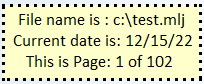
How do I add a date and time stamp to show when the schedule was created (up in the right-hand corner of the schedule)?
How can I place a date and time stamp in the lower left corner as a "footer"?
Can I add a file name and date as together somewhere on the schedule?