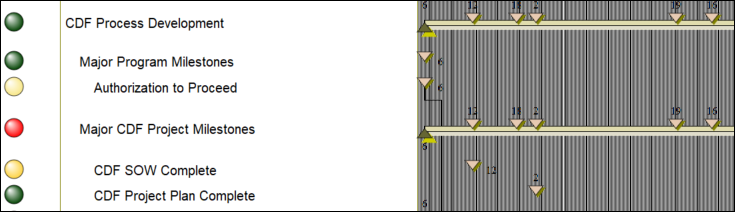
What are all of these lines on my schedule?

Question:     

I can't figure out what all of these lines are on my schedule.  Any idea?


Answer:

It looks like the schedule has daily grid lines set.  Daily grid lines are usually only recommended for schedules of less than a month duration.


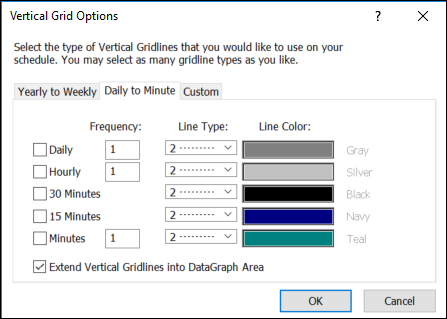
Change this option by first choosing Format | Gridlines | Vertical Gridlines.  Next, click the Daily to Minute tab.


Related topics

Difference between status line and current date line  

Show two date lines

Curtains (Milestones Help)

Vertical lines similar to current date line


Applies to Milestones Professional:      2017        2019         2021         2023         2025


The fast easy way to schedule your projects:  Milestones Software by KIDASA Software, Inc. www.kidasa.com

Copyright © 2025 KIDASA Software, Inc. All rights reserved.