Question:
I have a refresh list with several Project Online schedules. My Milestones schedule is set up with nicknames but I am having trouble updating it from the list.
|
Answer:
First, check to be sure your Milestones software is up-to-date. Pick Help | Download and Install Latest Software Update. It will show your current rev. date and the available rev.date.
Here's the correct procedure for refreshing from a list of Project Online schedules.
- Set up a refresh list by picking Connections | Microsoft Project | Refresh Previously Imported project | Create/Edit Refresh List. Choose Add Project Server Schedule for each schedule to be added to the list. Note the nicknames.
- Be sure the symbols on the Milestones schedule are tagged with the nicknames used in the list.
- Start Microsoft Project Desktop. When prompted, choose the profile for the Project Online connection.
- Choose to start a blank project (No need to open the Project schedules on the refresh list.)
- Start Milestones and open the Milestones schedule which has the refresh list.
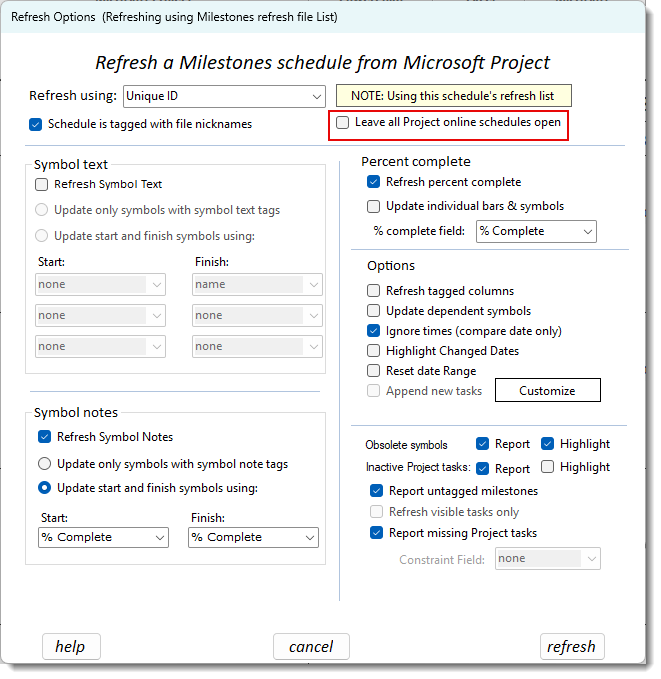
- Choose Connections | Refresh from Project Server...
- On the Refresh Options screen, you have an option to leave open the schedules opened by the refresh process (Usually this is un-checked).
 If you are having any issues importing or refreshing, check to be sure your Milestones software is up to date. Help | Download and Install Latest Software Update.
|
 2023