Tips & Tricks for May/June 2021

(Click the question title for the answer)
I added a symbol to my schedule and want to link it to Microsoft Project. What's the easiest way?
Eliminate box and fill around symbol text
Some of the text on my schedule is surrounded by a box and fill. I would like to get rid of this.
Show a slip to baseline with a milestone symbol
Can a "milestone symbol" be baselined? I know task bars can but I couldn't figure out how to baseline a symbol. I have a schedule that is made of symbols only (no task bars)– how can I show a slip to one of the symbols?
Overlay one bar on another bar
Is it possible to overlay one bar from the “Combo Toolbox” on top of a different bar from the “Combo Toolbox”?
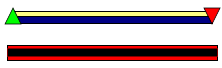
I am sharing my schedule with others. However, when I share the schedule, all of my custom bitmap symbols are missing and show up as blank symbols in the toolbox.
Can Milestones create non-graphical reports, such as a summary of tasks and their due dates? That is, how can I transfer information from a Milestones schedule (column information, schedule title, symbol dates, etc.) into the columns and cells of a spreadsheet?
Actual cost line shows past current date
I am displaying an earned value graph. For some reason, my Actual Cost graph line is extending past today's date. Why might this be happening?
Earliest and latest supported dates supported by Milestones
Does your product support dates prior to the Common Era (prior to A.D. dates)?
What is the earliest date supported by Milestones software? What is the latest?
Link to a specific PowerPoint slide
My schedule currently uses symbol HyperLinks to attach documents that are critical to my project. Is there a way I can link from a symbol in Milestones Professional to a specific PowerPoint slide?
Remove currency symbol from the DataGraph
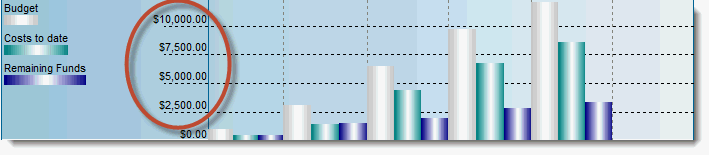
How do I remove the $ sign from the “Y” axis of a DataGraph?
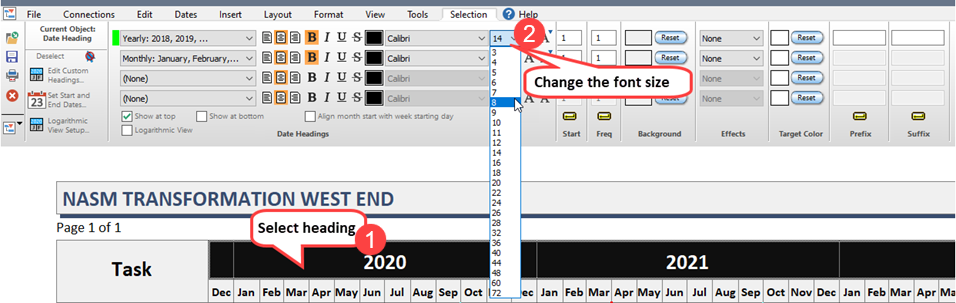
How do you set the height for the headers years and months, they seem really deep, taking up valuable space?
 2017
2017