-
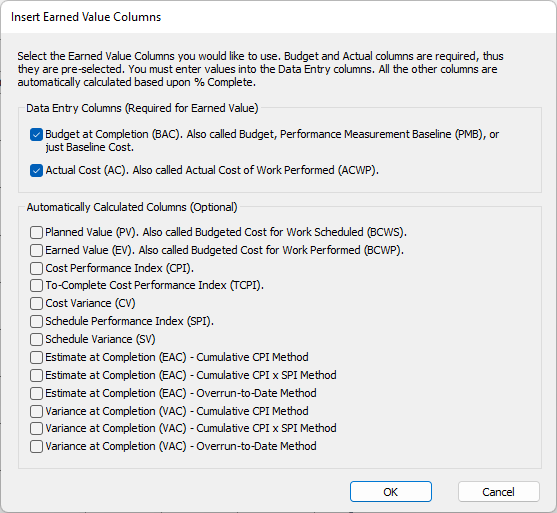
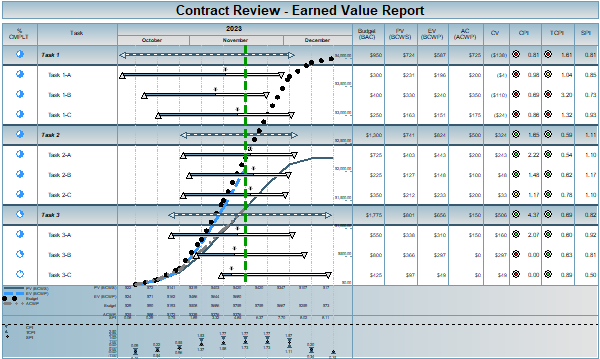
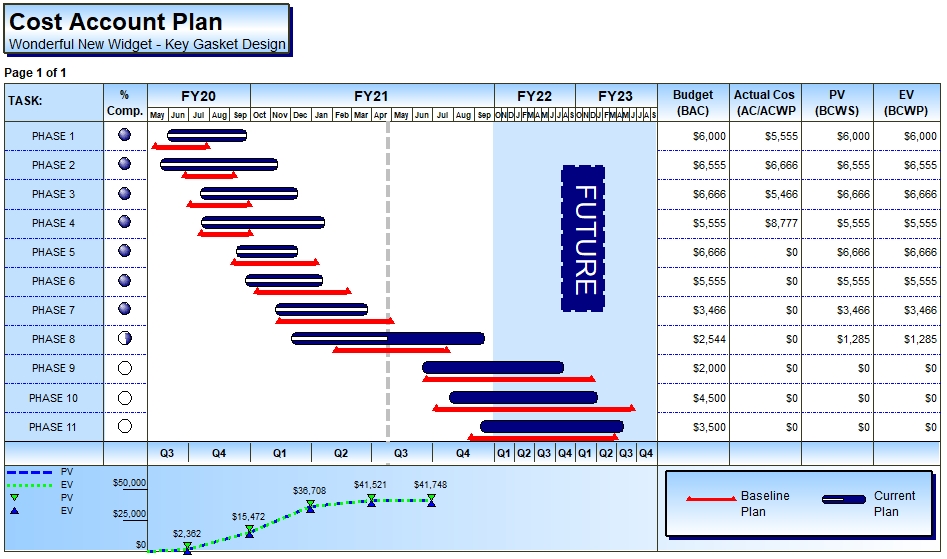
Planned Value (PV) - also called Budgeted Cost of Work Scheduled (BCWS). Calculates expected budget expended to date; planned cost to date.
-
Earned Value (EV) - also called Budgeted Cost of Work Performed (BCWP). Calculates the value of the work completed; budget x percent complete.
-
CPI = Earned Value / Actual Cost - Calculates a ratio of the value of what was accomplished (EV) versus what was actually spent to accomplish it (AC), up to the status date.
-
To-Complete Performance Index (TCPI) - TCPI = (Budget-at-Completion - Earned Value) / (Budget-at-Completion - Actual Cost). Calculates the Cost Performance Index (CPI) required through the remainder of the task to stay within the stated budget; effectively the reverse of CPI.
-
Cost Variance (CV) - CV = Earned Value - Actual Cost. Calculates the dollar value of what was accomplished to date against what has actually been spent.
-
Schedule Performance Index (SPI) - SPI = Earned Value / Planned Value. Calculates a ratio of the value of what was accomplished (EV) versus what was budgeted to accomplish it (PV), up to the status date.
-
Schedule Variance (SV)
SV = Earned Value - Planned Value. Calculates the dollar value of what was accomplished to date against what was budgeted to have been spent to date.
-
Estimate at Completion (EAC)
EAC forecasts the expected total costs to be accrued over the life of the project based on current trends:
-
Overrun-to-Date method: EAC = (Budget-at-Completion - Earned Value) + Actual Cost. Assuming spending patterns remain the same, EAC: Overrun-to-Date forecasts the total amount to be spent by adding costs incurred to date to the remaining work to be earned.
-
Cumulative CPI Method: EAC = ((Budget-at-Completion - Earned Value) / CPI) + Actual Cost. The EAC: Cumulative CPI Method forecasts the total amount to be spent by adding costs incurred to date to the remaining work to be earned, which has been weighted against the current CPI performance value.
-
Cumulative CPIxSPI Method: EAC = ((Budget-at-Completion - Earned Value) / CPIxSPI) + Actual Cost. The EAC: Cumulative CPIxSPI Method forecasts the total amount to be spent by adding costs incurred to date to the remaining work to be earned, which has been weighted against the combined current CPI and SPI performance values
-
Variance at Completion (VAC)
VAC forecasts the difference between the Budget-at-Completion and the expected total costs to be accrued over the life of the project based on current trends:
-
Overrun-to-Date method: VAC = EAC: Overrun-to-Date minus Budget-at-Completion.
-
Cumulative CPI Method: VAC = EAC: Cumulative-CPI-Method minus Budget-at-Completion.
-
Cumulative CPIxSPI Method: VAC = EAC: Cumulative-CPIxSPI-Method minus Budget-at-Completion.