Copy bitmap to clipboard (selected task rows)

If only a few task lines are needed for use in another application, such as PowerPoint, Milestones offers an option to copy to the clipboard only those tasks which have been selected.

Copy selected lines to the clipboard:

  1. Select the task rows.
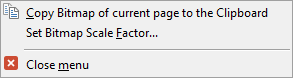
  2. Optionally, set the scale factor (see examples below) -  Edit | Copy Schedule | Copy Bitmap to Clipboard | Set Bitmap Scale Factor.
  3. Click Edit | Copy Schedule | Copy Bitmap to Clipboard (selected lines.)
  4. To copy the task rows without date headings, choose Copy Only Selected Lines. To include the date headings, choose Copy Selected Lines and Date Headings
Example with date headings:

Example without date headings:

Bitmap scale factor examples:

The bitmap scale factor is set to 1.0 by default.  Depending on the intended target document, it may be necessary to scale the bitmap up or down.  

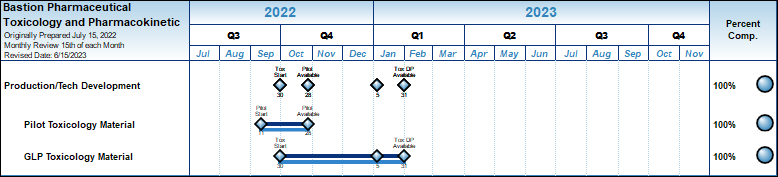
11 by 8.5 inch schedule using scale factor of 0.7:

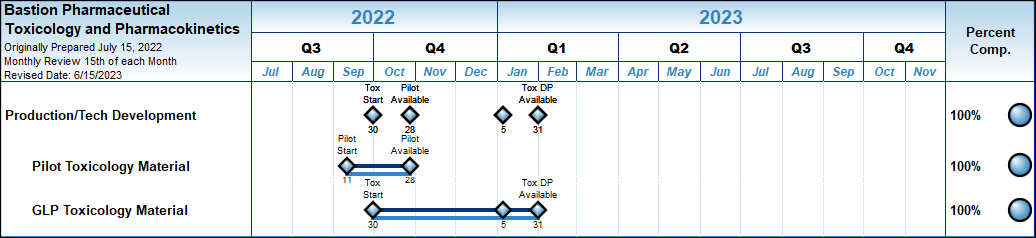
11 by 8.5 inch schedule using scale factor of 1:


Related Topics

  1. Share and present schedules
  2. Copy and paste as a picture into another application
  3. Copy all pages to PowerPoint


Guided Help Home


The fast easy way to schedule your projects:  Milestones Software by KIDASA Software, Inc. www.kidasa.com

Copyright © 2025 KIDASA Software, Inc. All rights reserved.