Week starting day
By default, the week starting day for Milestones Professional is Sunday. It can be changed it to any day of the week.
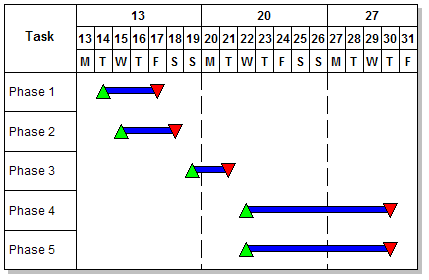
Among other features, this setting impacts the date heading display for Week Start Day and Week End Day, and vertical gridlines separating weeks.
Change the week starting day:
-
Choose Dates | Start and End Dates | More Settings.
-
Select Weekly/Daily/Holiday Shading.
-
Select a day under Week Starting Day.
In this example the week starting day is Monday.