Project to Milestones Wizard - Make a swimlane chart with codes
|
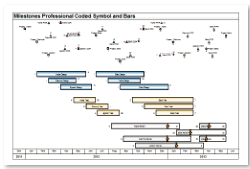
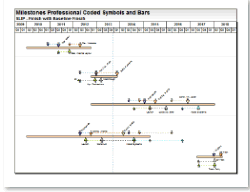
These instructions describe the coding required for these formats: Dynamic Rollup, Coded Gantt Chart, Coded Gantt Bars, Coded Finish Dates, Coded Presentation Timeline and Coded Symbols with slips ( For other coded formats see: Coded Symbols and Bars, Coded Symbols and Bars 2, or Coded Symbols, ) Problem: A Microsoft Project schedule might have 30,000 tasks. A one page presentation schedule is a desired result. It is desirable to be able to select individual tasks within the Microsoft Project schedule and have these individual tasks display together (on one row in the resulting Milestones presentation schedule). Solution: Reserve a text field in the Microsoft Project schedule. Use this as the "code" field. Come up with a scheme for labelling the tasks to display (only label the tasks to display on the presentation schedule) Label the tasks. Then import into Milestones Professional. Items will be grouped by code on the resulting chart:
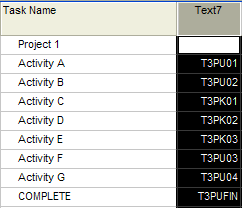
Code the schedule: For example, the following codes were used for a recent project: T3PU T3PA T3PK T3PB T3PC T3PD Project tasks that fall under a specific code are labeled in the Text field in sequence, i.e. T3PU01, T3PU02, T3PU03,… Code fields can be up to 20 characters in length.
Next: Produce the Coded Schedule
Microsoft Project must be installed for this type of import to work (coded swimlane schedules.)
|

 Microsoft Project must be installed for this type of import to work (coded swimlane schedules.)