|
This topic applies to Coded Presentation Timeline, Coded Gantt Chart, Coded Gantt Bars, Coded Dynamic Rollup, Coded Symbols with Slips and Coded Finish Dates.
( For other coded formats see: Coded Symbols and Bars, Coded Symbols and Bars 2, or Coded Symbols, )
Once the schedule is coded:
-
In Milestones, choose Create Report from Microsoft Project on the Connections tab.
-
Choose the coded Microsoft Project schedule.
-
On the first screen of the wizard, choose  Make a swimlane chart. Make a swimlane chart.
-
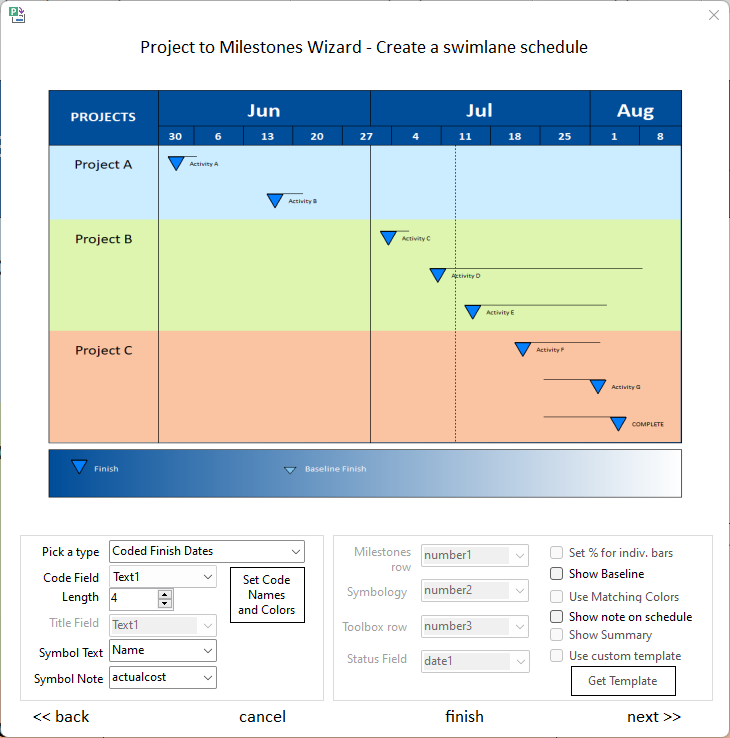
Under Pick a type, choose from one of the above coded formats:
-
Choose a Code Field, Field Length (up to 20 characters) and Symbol Text.
-
Optionally, press the Set Code Names and Colors button.
 Microsoft Project must be installed for this type of import to work (coded swimlane schedules.) Microsoft Project must be installed for this type of import to work (coded swimlane schedules.)
|