Question:I have a schedule that is linked to a MSProject file for Start and Finish Dates. I’d like to convert all of the lines I already have linked to Baseline Start and Baseline Finish instead. How can I do this in 1 step instead of line by line? |
Answer:
Yes! If your schedule was imported from Microsoft Project, then it's possible to add an Microsoft Project column and have Milestones fill in the data.
First open the Microsoft Project file associated with this schedule.
-
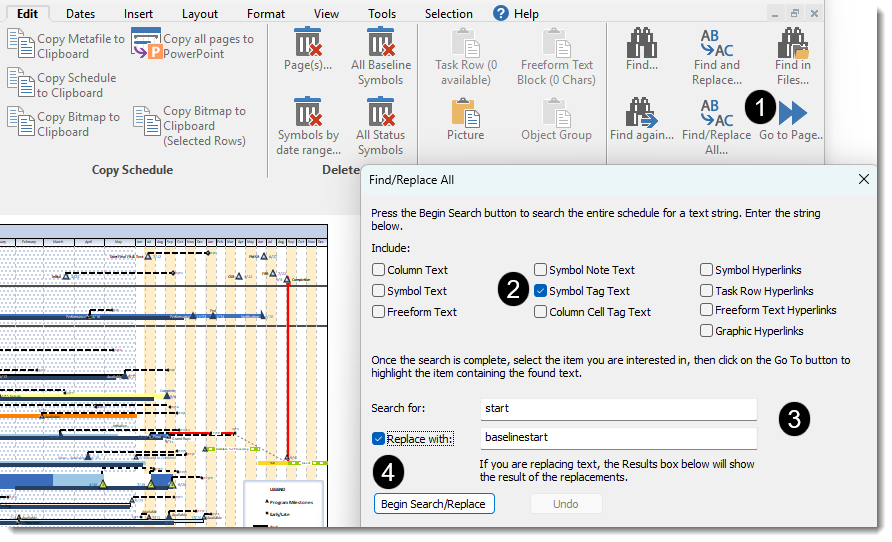
On the Edit tab pick Find/Replace All...
-
For Include, uncheck everything except
 Symbol Tag Text.
 -
For Search For:, enter start.
Replace with and enter baselinestart. -
Click Begin Search/Replace.